

At BetaTesting, we’re happy to formally announce a huge upgrade to our participant targeting capabilities. We now offer 100+ criteria for targeting consumers and professionals for beta testing and user research.
Our new targeting criteria makes it easier than ever to recruit your audience for real-world testing at scale. Need 100 Apple Watch users to test your new driving companion app over the course of 3 weeks? No problem.
Here’s what you’ll learn in this article:
- How to recruit beta testers and user research participants using more than 100+ targeting criteria
- Learn about standard demographic targeting vs Advanced Targeting criteria
- How specific should I make my targeting criteria?
- How and when to use a custom screening survey for recruiting test participants
- How niche recruiting criteria impacts costs
- When custom incentives may be required
About the New Platform Functionality
Video overview of BetaTesting Recruiting functionality:
Where can I learn about using the new targeting features? Check out our Help article Recruiting Participants with 100+ Targeting Criteria for details and a help video on exactly how you can use our new Advanced targeting criteria.
What are the different criteria we can target on? See this help article (same referenced above) for all of the specific criteria you can target on!
Do we have access to all the targeting functionality in our plan? We are providing ALL plans (including our Recruit / pay-as-you-go plan) access to our full recruiting criteria when planning tests targeting our audience of participants.
Does the targeting criteria impact costs? Normally it does not! But there are a few instances where costs can increase based on who you’re targeting. If you define targeting criteria that we define as “niche”, your costs will typically be 2X higher. Audiences are considered niche if there are fewer than 1,500 participants estimated to meet your targeting criteria. In those cases, it’s much more difficult to recruit, and that is reflected in pricing. Also, if you are targeting professionals by job function or other employment targeting, this is also considered “niche” targeting and costs 2X more. This is because it’s a more difficult audience to recruit (we’ve spent years building and vetting our audience!) and these audiences typically have higher salaries and require higher incentives to entice them to apply and participate.
How to recruit beta testers and user research participants using more than 100+ targeting criteria

At BetaTesting, we have curated a community of over 400,000 consumers and professionals around the world that love participating in user research and beta testing.
We allow for recruiting participants in a number of different ways:
Demographic targeting (Standard & Advanced)
Target on age, gender, income, education and many more. We offer standard targeting, and we recently added new features to allow for targeting 100+ criteria (lifestyle, product ownership, culture and language, and many more) using Advanced Targeting.
Standard targeting screenshot:

New Advanced Targeting criteria screenshot. You can expand each section to show all the various criteria and questions participants have answered through their profiles. Each section contains many different criteria.
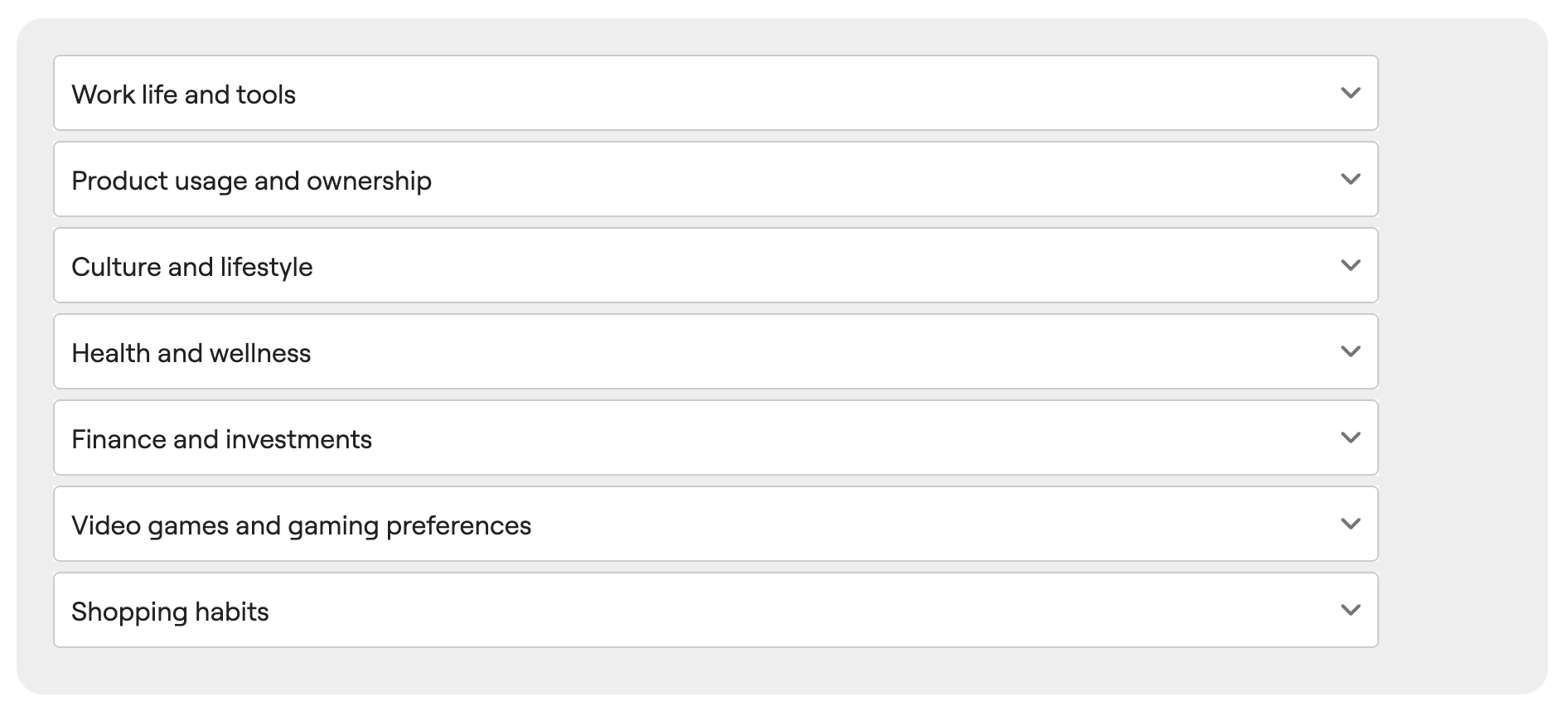
See expanded criteria for the Work Life and Tools section. Note, you can use the search bar to search for specific targeting options.

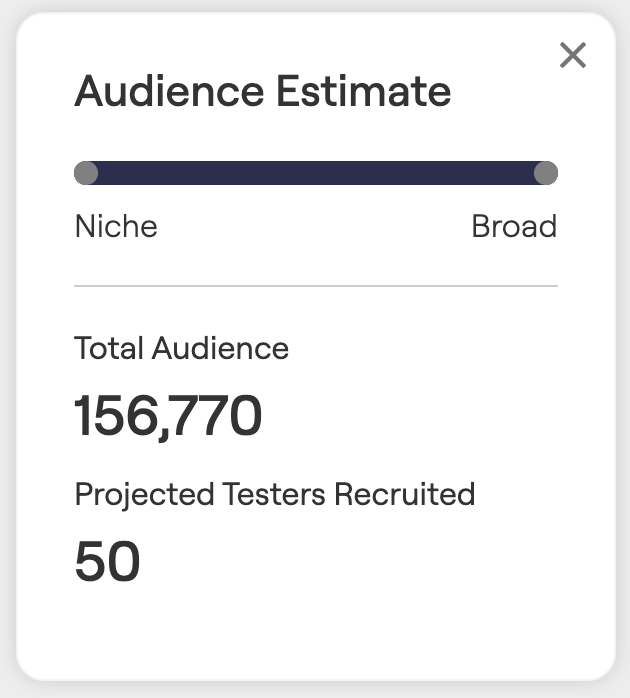
As you refine your targeting options, you’ll see an estimate on how many we have available in our audience:
What is the difference between the Standard targeting and the Advanced targeting criteria?
The advanced targeting criteria includes a wide variety of expanded profile survey questions organized around various topics (e.g. Work Life, Product Usage and Ownership, Gaming preferences, etc). See above for some examples. The Advanced Criteria is part of a tester’s expanded profile that they can keep updated to provide more information about themselves to connect with targeting testing opportunities.
The standard criteria is part of every tester’s core profile on BetaTesting and includes basic demographic and device information.
In general, using the Advanced Criteria provides more fine-tuned targeting for your audience, in the cases there this is needed.
How specific should I make my targeting criteria?
We would recommend keeping your targeting and screening criteria as board as possible to recruit the audience you need. Think about the most important truly required criteria, and start there. Having a wider audience usually leads to more successful recruiting for several reasons:
- We can recruit from a wider pool of applicants, which means there are typically more available Top Testers within that pool of applicants. Generally this will lead to higher quality participants overall, because our system invites the best available participants first.
- The more niche the targeting requirements are, the longer recruiting can take
- More niche audiences typically require custom (higher) incentives (available through our Professional plans).
How and when to use a custom screening survey for recruiting test participants
A screening survey allows you to ask all applicants questions and only accept people that answer in a certain way. See this article to learn more about using a screening survey for recruiting user research and beta testing participants. You can learn about using Automatic or Manual participant acceptance.
There are a few times it makes sense to use a screening survey:
- If there are specific requirements for your test that are not available as one of the standard or advanced targeting criteria.
- If you need to collect emails upfront (e.g. for private beta testing). When you select this option in the test recruiting page, we’ll automatically add a screening question that collects each tester’s email. Once you accept each tester, you will have access to download their emails and invite them to your app.
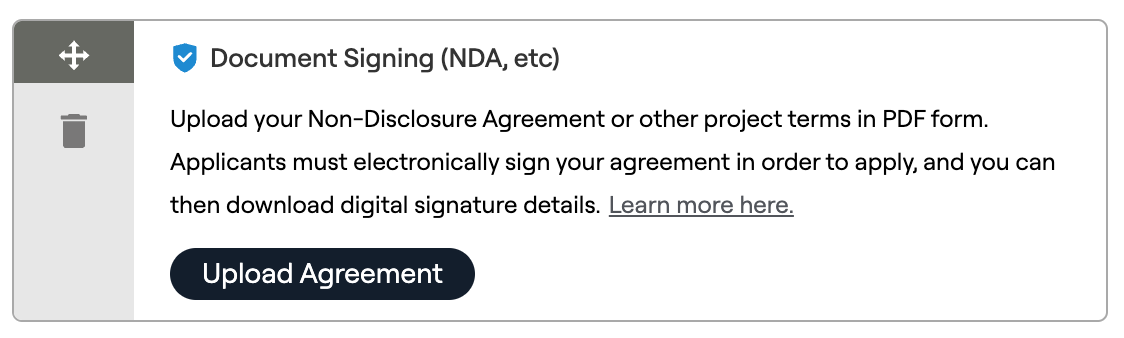
- If you need to distribute an NDA or other test terms
- If you need to manually review applicants and select the right testers for your test, for example, if you are shipping a physical product out to users. In that case, you can use our Manual Screening options to collect open-text answers from applicants.


How niche recruiting criteria impacts costs
If your defined recruiting criteria is very specific, you may see that we estimate < 1,500 participants in our audience that match your criteria. In this case, we would consider the targeting “niche”. On our Recruit (pay as you go) plan, your per-tester pricing would then show as 2X the normal cost. You can always see the price defined as you change the criteria.

We also consider a test “niche” if you’re using the professional employment targeting options (e.g. job function).
In the case that your company has a Professional or Enterprise/Managed plan, you may have the ability to custom define the incentives that you offer to participants. In these cases, you’ll see a higher recommended incentive any time we notice that you may have niche targeting requirements.
When custom incentives may be required
There are a couple cases where it will be important to customize the incentive that you’re offering to participants:
- You are targeting a very niche audience (e.g. programmers) that have high incomes. In this case, you probably need to increase your incentive so your test is more appealing to your audience.
- You are planning a test with hundreds or thousands of participants.
In both those cases, we recommend getting in touch with our team and we can prepare a custom proposal for our Professional plan or higher. This plan will allow you to save money and to recruit the participants you need with custom incentives.
Have questions? Book a call in our call calendar.
 BetaTesting Blog